
Build your digital confidence through free, friendly computer classes right here in Upshur County – no experience needed.
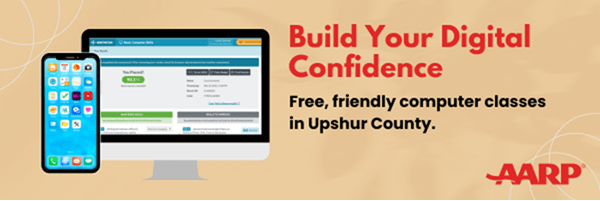
Upshur County Public Library is proud to announce the availability of a series of digital skills training classes to be held in and around Upshur County, WV throughout the next year. These classes are in either a one-on-one format or classroom style, using the Northstar Digital Literacy software platform, provided by GenerationWV. Northstar has been used nationally for similar literacy programs, most recently in Minnesota.
How It Works

- Sign Up – Call or stop by the library to register for an upcoming Northstar class.
- Attend a Class – Learn with others in a relaxed setting—topics include email, internet safety, Word, and more.
- Practice & Get Certified – After class, you can take Northstar assessments to earn official certificates.
- Stay Connected – Come back for weekly sessions, one-on-one help, or self-paced learning from home.
- Use Your Skills – Apply what you’ve learned for work, school, or personal use!
If you already have an email or would like to go at your own pace for any of the above classes, please use the Northstar Self-Registration link to register for classes.
Classes Available
Essential Computer Skills
- Phone Keyboard Basics & Logging In
- Basic Computer Skills – Parts of a computer; how to turn it on; mouse skills & shapes; file management; customization & updates.
- Internet Basics – connecting to the internet; navigating websites; tabs & favorites; searching the internet; internet privacy; online forms & viruses & email scams.
- Using Email – creating an email account; email etiquette; how to send and receive emails; attach files.
- Windows 11 – basic Windows 11 overview; opening programs; managing windows; programs & file extensions; the Start Menu.
- Mac OS – finding and opening programs; managing windows; operating systems; Microsoft programs; file storage; system preferences; app store.
Essential Software Skills
- Microsoft Word – Word orientation; formatting text; bullets & alignment; setting up documents; inserting tables; copy, cut & paste; inserting objects into documents.
- Microsoft Excel – entering data; formatting text; headings; organizing workbooks; analyzing data; formulas; inserting charts; saving & printing.
- Microsoft PowerPoint – PowerPoint orientation; formatting text; pictures & text boxes; editing slides; transitions & animations; saving & printing.
- Google Docs – Google docs orientation; sharing a Google doc; collaborating in a Google doc; formatting text; making lists; inserting tables and images; setting up a Google doc; copy, cut & paste; finalizing a document
Technology in Everyday Life
- Social Media – Social Media platform overview; setting up a Facebook account; adding friends; posting on the timeline; private messaging; privacy settings; managing friends; staying safe; Instagram; Twitter/X.
- Information Literacy – formatting a research question; planning your research; effective internet searching; analyzing search results; evaluating results for bias & reliability; organizing results; using results to make informed decisions.
- Career Search Skills – Making a job search plan; know your job skills; determining your values; researching careers; networking; career search websites; creating a resume; creating a cover letter; the portfolio; professional communication; understanding the hiring process; preparation, practice & follow-up; navigating illegal interview questions; negotiating; tips to be successful at a new job.
- Your Digital Footprint – What is your digital footprint?; browsing history; cookies; managing your online identity; consequences of a digital footprint.
- Accessing Telehealth Appointments – Making an online health portal account; downloading apps; managing appointments; accessing appointments; troubleshooting; managing an account
- Supporting K-12 Distance Learning – Distance Learning models; Getting connected; Distance Learning Platforms; submitting assignments; virtual class meetings; virtual class etiquette; troubleshooting; advocating for your child’s education

Why NorthStar Classes Work
The Northstar Digital Literacy Program is a trusted resource used by libraries across the country. It’s built for beginners and designed to:
- Remain accessible — All classes are FREE thanks to an AARP Community Challenge Grant.
- Build real-world tech skills — Use a computer with confidence.
- Support job seekers — Learn the tools employers look for.
- Be judgment-free — We go at your pace, no experience required.
- Offer official recognition — Earn certificates to show what you’ve learned.
Why Choose Us?
- Free, accessible classes in a trusted local space
- Small-group and one-on-one learning options
- Friendly staff who want you to succeed
- Great for beginners, older adults, and anyone wanting a tech refresh
- Supported by a 2025 AARP Community Challenge Grant